

Lead lists
Shipped Lead lists built from data provider searches, with an email waterfall, fit scores, workspace-wide dedupe, verification, credit caps and scheduled refreshes, in the web app, the REST API and the MCP server.
A lead list is a group of leads you can add to a sequence. Make one by hand (CSV, API, an agent), or let Outflare build it from a search at a data provider you already pay for. Outflare never sells or stores contact data of its own: every person comes from your own provider account, and the provider bills you directly.
Everything here works the same from the web app (Lead lists), the REST API and the MCP server.
Connect a data provider
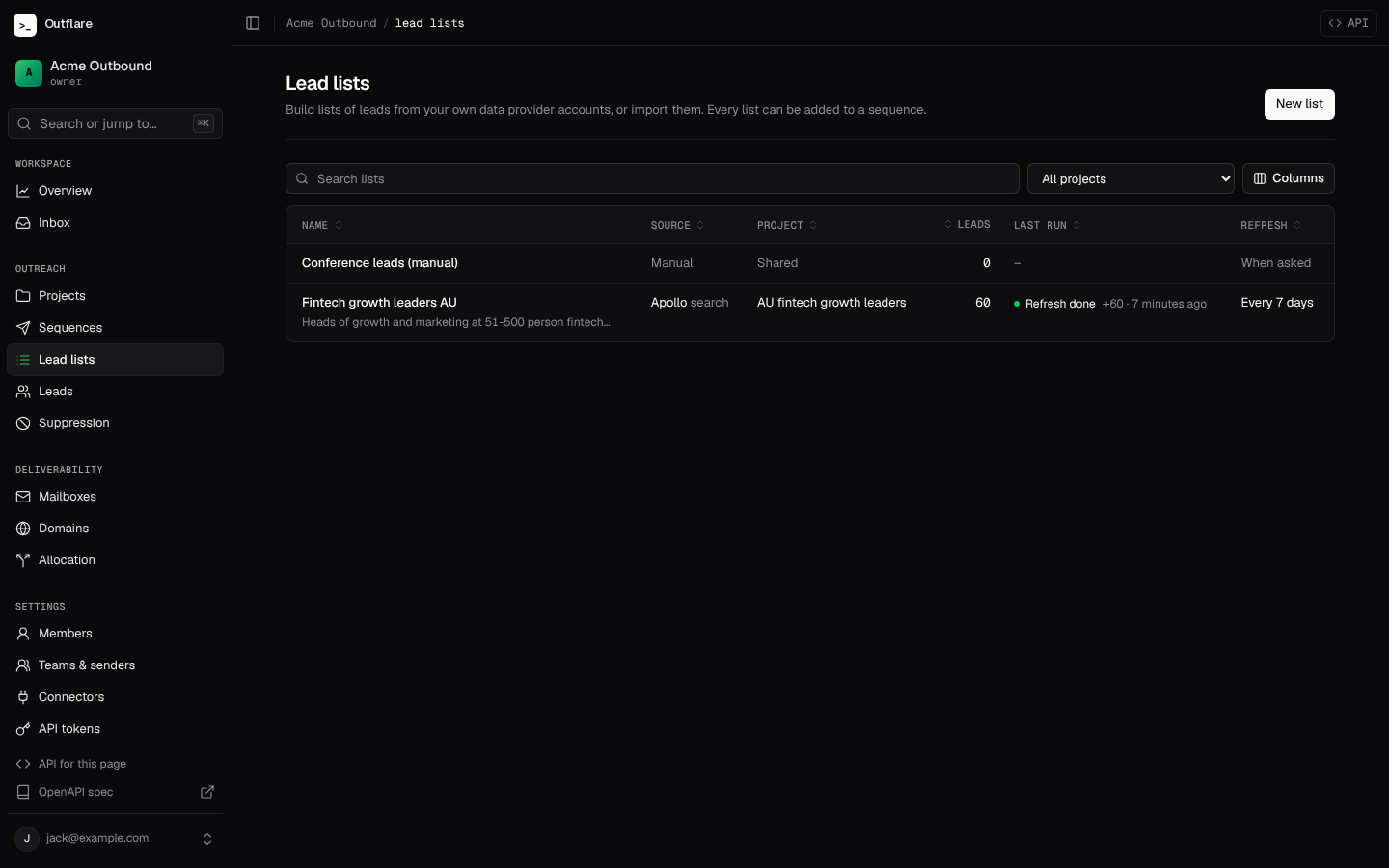
Section titled “Connect a data provider”Paste an API key in Connectors (or from the Lead lists page). See Connectors for how keys are stored. Each provider says what it can do:
| Provider | Search people | Find emails | Cost, roughly |
|---|---|---|---|
| Apollo | yes | yes | Search is free; revealing an email costs one credit |
| People Data Labs | yes | yes | One credit per record returned |
| Prospeo | yes | One credit per email found | |
| LeadMagic | yes | One credit per email found | |
| Findymail | yes | One credit per verified email found | |
| Hunter | yes | One request per lookup; the same key also verifies emails |
GET /v1/workspaces/{ws}/data-providers lists them with the filters each search understands and the accounts you have connected. Prices are the providers’ and change; check your plan.
Build a list from a search
Section titled “Build a list from a search”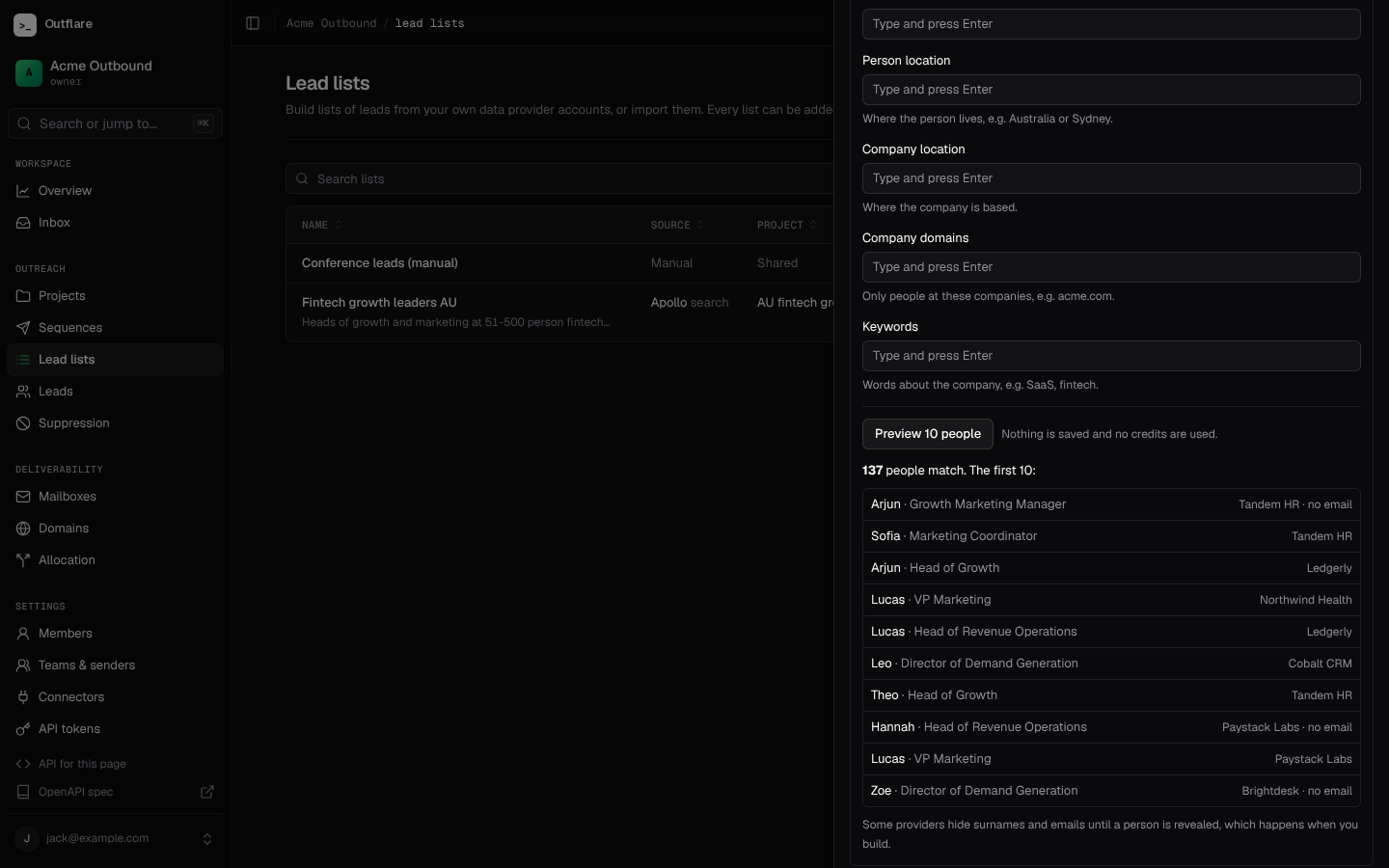
- Pick who to find. Job titles, seniority, company size, industries, person and company location, company domains and keywords. A list in a project can copy the project’s ideal customer profile into its search in one click.
- Preview. Ten people from the search, with the total number of matches. Nothing is saved and no credits are spent.
- Choose how to find emails. The waterfall: providers are asked in order until one returns an email, so you only pay the next provider for people the first one missed. Results are cached for 180 days, so a refresh never pays twice for the same person.
- Set the guard rails.
- Most leads per run (
max_leads, default 500) and a credit cap per run (credit_cap). A run stops cleanly at either. - Minimum fit score (
min_score): people scored below it are left out before any credits are spent. - Verify emails before adding (on by default, through your verification service or the built-in checks), and optionally only verified emails.
- Leave out people emailed in the last N days (
skip_contacted_days, default 90), people already in an active sequence, and anyone on the suppression list. This works across every list and campaign in the workspace.
- Most leads per run (
- Build, then refresh. A build runs in the background. Refresh adds people who are new since last time, by hand or every N days (
refresh_every_days). People already in the list are skipped for free.
Each run reports what it found, added and enriched, what it left out and why (already_in_list, low_score, no_email, unverified, undeliverable, suppressed, contacted, in_sequence), the credits it spent per provider and why it stopped early, if it did. Credits go into the spend ledger, so cost per meeting includes data costs.
# Preview a search (free)curl -X POST "https://outflare.example.com/v1/workspaces/$WS/lead-lists/preview" \  -H "Authorization: Bearer $OUTFLARE_TOKEN" -H "Content-Type: application/json" \  -d '{"search_integration_id": "'$APOLLO'", "filters": {"titles": ["Head of Growth"], "locations": ["Australia"], "employee_ranges": ["51-200"]}}'
# Create the list and build itcurl -X POST "https://outflare.example.com/v1/workspaces/$WS/lead-lists" \  -H "Authorization: Bearer $OUTFLARE_TOKEN" -H "Content-Type: application/json" \  -d '{"name": "AU growth leaders", "project_id": "'$PROJECT'", "search_integration_id": "'$APOLLO'",       "filters": {"titles": ["Head of Growth"], "locations": ["Australia"], "employee_ranges": ["51-200"]},       "enrich_integration_ids": ["'$APOLLO'", "'$PROSPEO'"], "max_leads": 300, "credit_cap": 400,       "min_score": 40, "refresh_every_days": 7, "build": true}'
# Follow the run, then read the leads, best fit firstcurl "https://outflare.example.com/v1/workspaces/$WS/list-runs/$RUN" -H "Authorization: Bearer $OUTFLARE_TOKEN"curl "https://outflare.example.com/v1/workspaces/$WS/lead-lists/$LIST/members" -H "Authorization: Bearer $OUTFLARE_TOKEN"
# Refresh now, or fill in missing fields on the leads already therecurl -X POST "https://outflare.example.com/v1/workspaces/$WS/lead-lists/$LIST/runs" \  -H "Authorization: Bearer $OUTFLARE_TOKEN" -H "Content-Type: application/json" -d '{"kind": "refresh"}'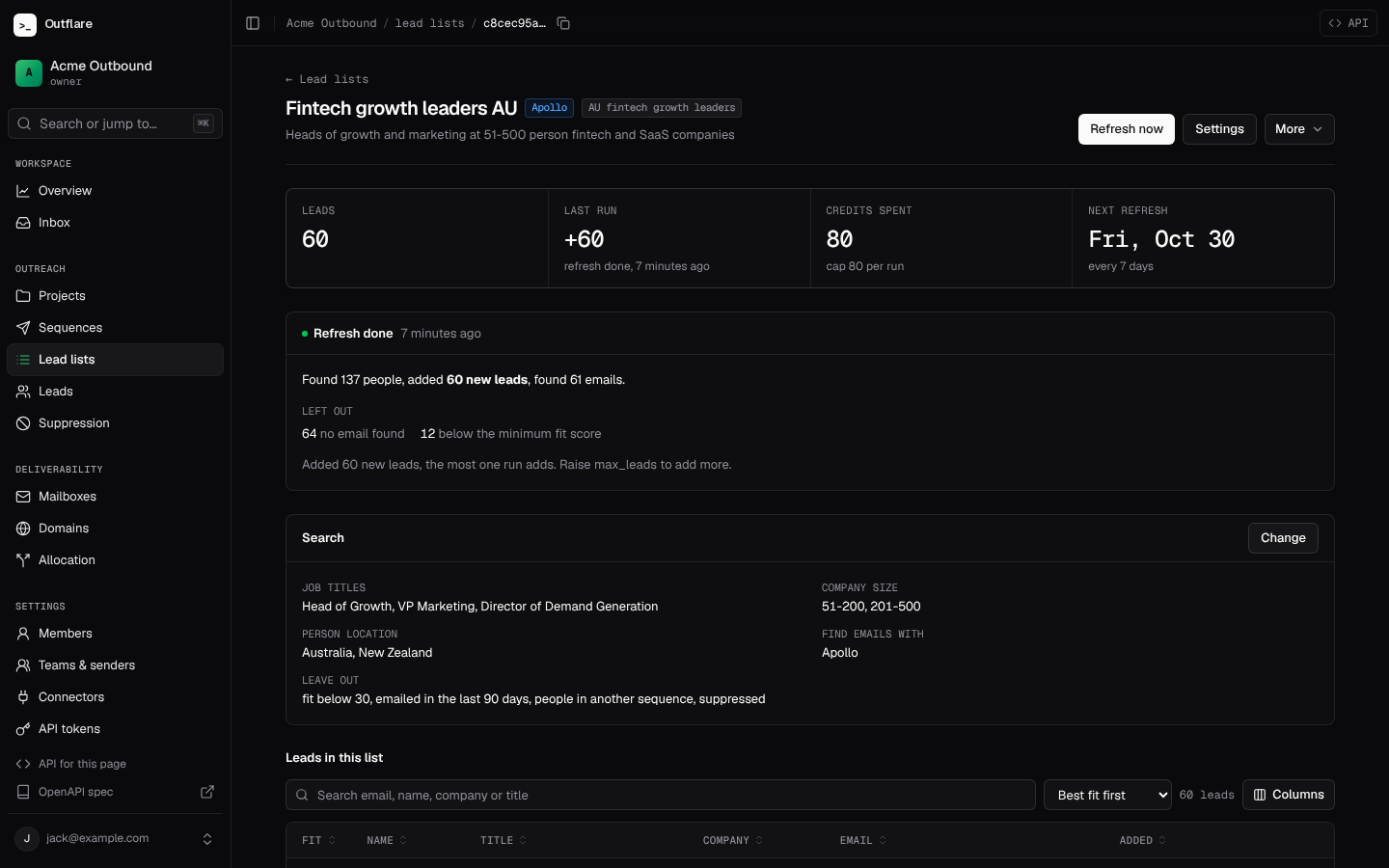
An enrich run ({"kind": "enrich"}) fills empty fields (name, title, company, LinkedIn, location) on the leads already in a list. It never changes an email address. It works on manual lists too.
Fit score
Section titled “Fit score”Every lead in a searched list gets a 0 to 100 fit score, with the reasons. It is scored against the project’s ideal customer profile, where any part the list’s own search sets wins; a list outside a project is scored against its search. The parts: title (35), seniority (20), company size (15), industry (15) and location (15). Only the parts the profile sets count, and seniority is guessed from the title when the provider does not say. It is plain rules, so the same lead always gets the same score.
Where a lead came from
Section titled “Where a lead came from”GET /v1/workspaces/{ws}/leads/{id}/sources shows each provider that supplied or filled in a lead, its id there and when. Useful for data requests and for knowing which provider’s data replies best.
Clay, spreadsheets and other tools
Section titled “Clay, spreadsheets and other tools”Anything that can send an HTTP request can add leads: a Clay HTTP API column, Zapier, n8n or a script can POST /v1/workspaces/{ws}/leads with "list_id" set, or POST /leads/import?list=<name> with a CSV (see Import leads). Upserts are by email, so sending the same person twice updates them.
Permissions
Section titled “Permissions”Reading lists and runs needs leads.read; creating, editing, running and deleting needs leads.manage (see Workspaces and access). A project token sees only its project’s lists, and creates lists inside its project.
Agents
Section titled “Agents”MCP tools: list_data_providers, preview_lead_search, create_lead_list, update_lead_list, run_lead_list, get_list_run, list_list_runs, cancel_list_run, list_lead_lists, get_lead_list, list_lead_list_members, get_lead_sources. The tools that can spend credits are marked as reaching the outside world, so MCP clients can ask before running them.